How to Create a Kiosk ?
-
Click on the
Kiosksof the navbar.
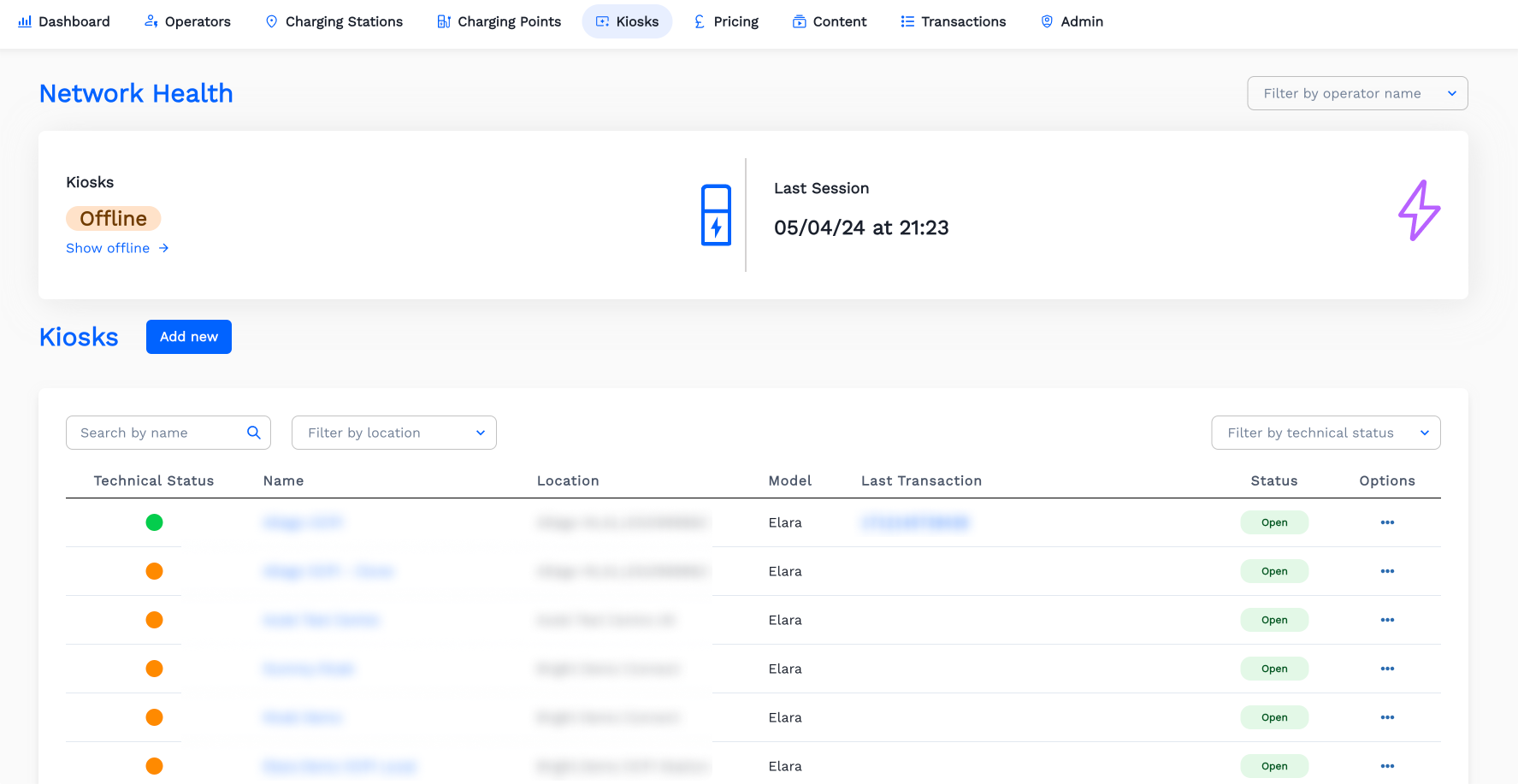
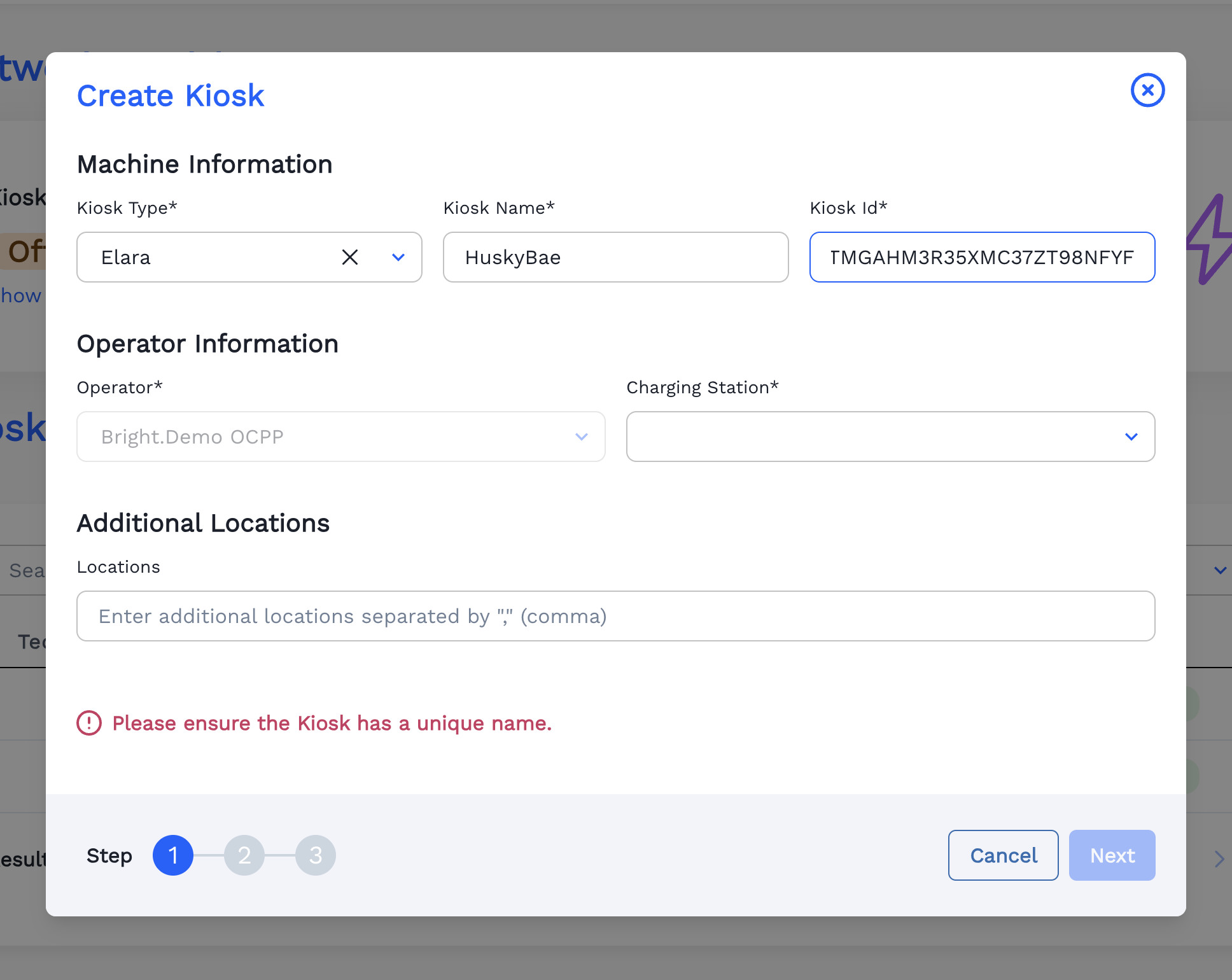
-
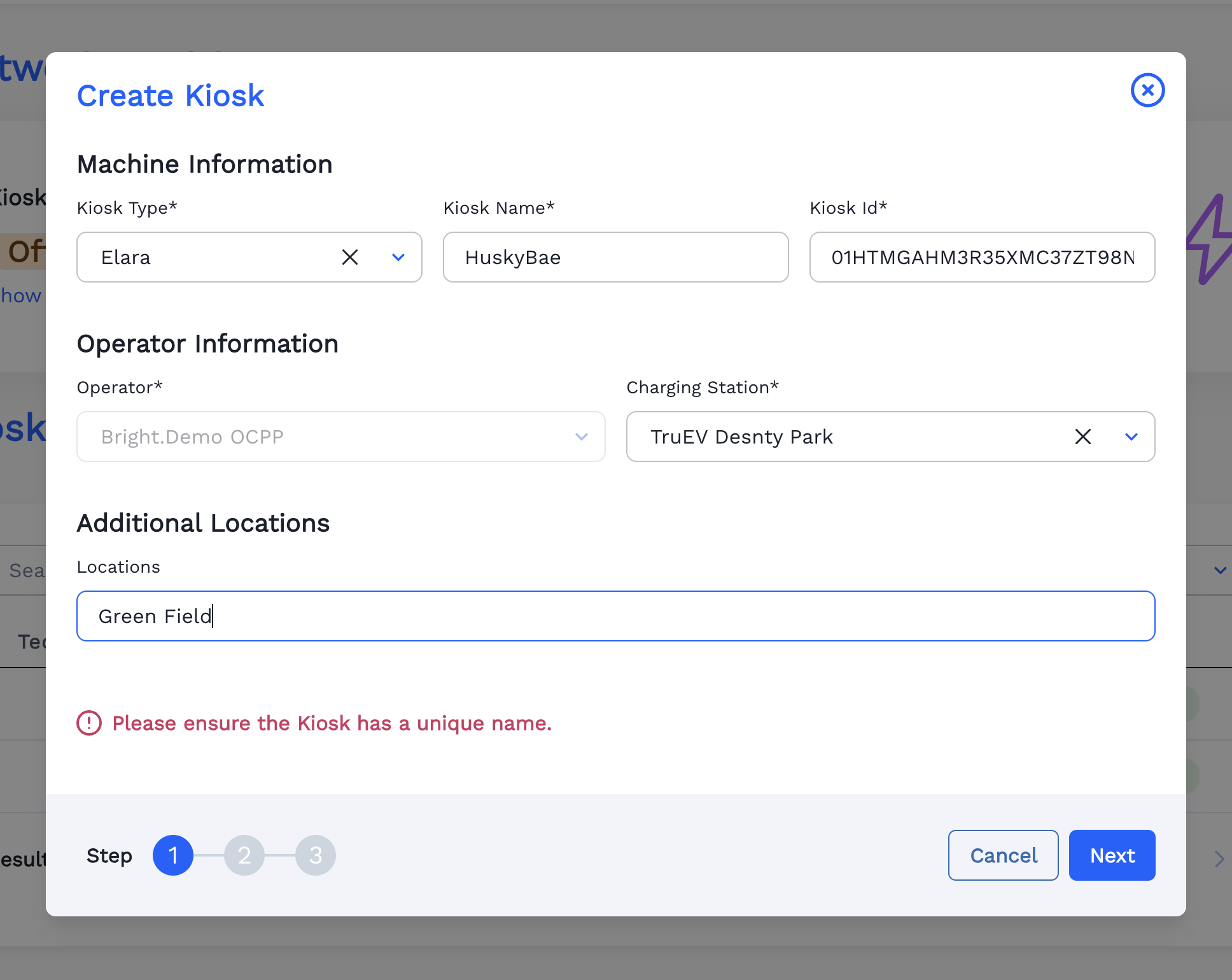
Fill the Operator Information.
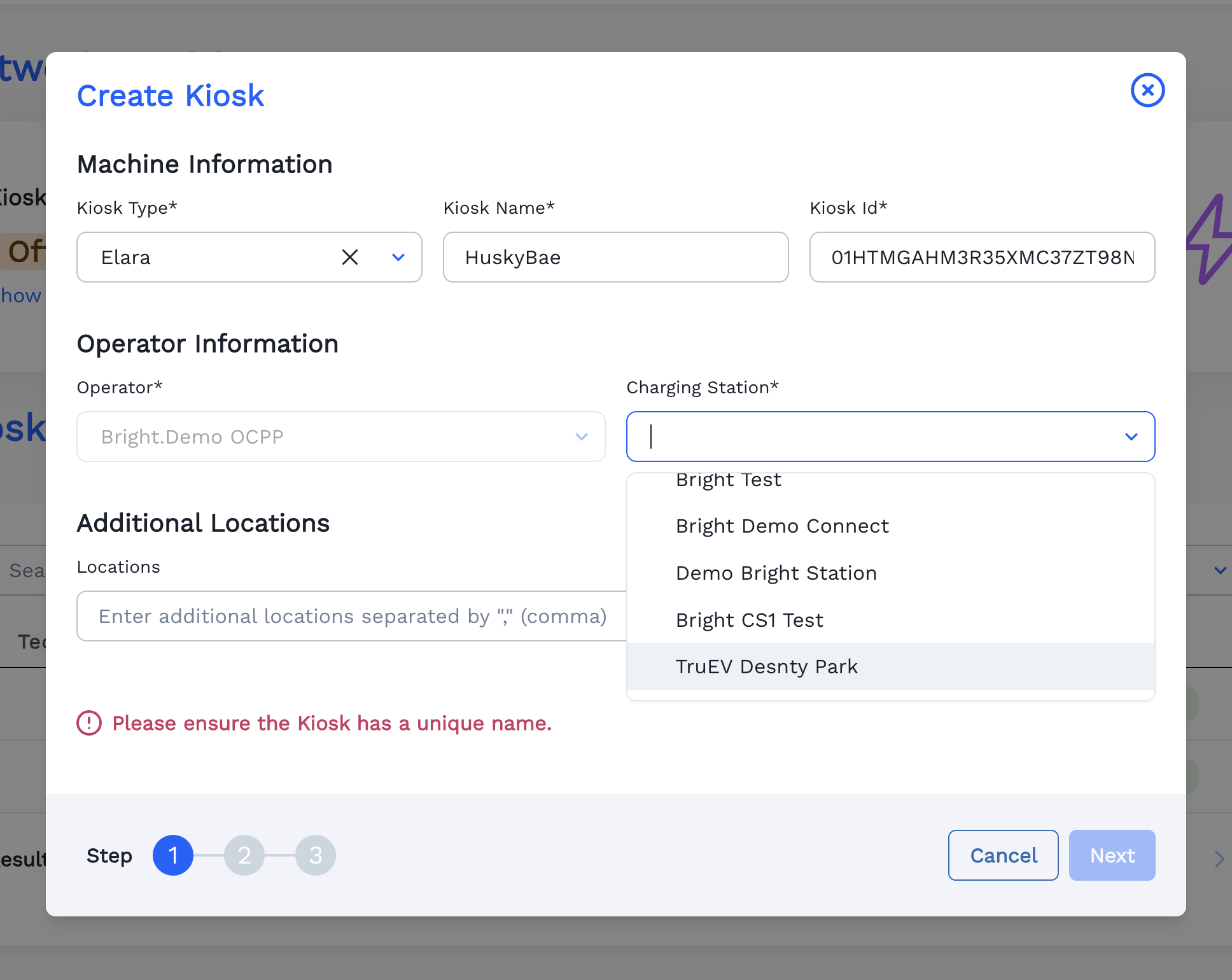
-
Fill the Location.
-
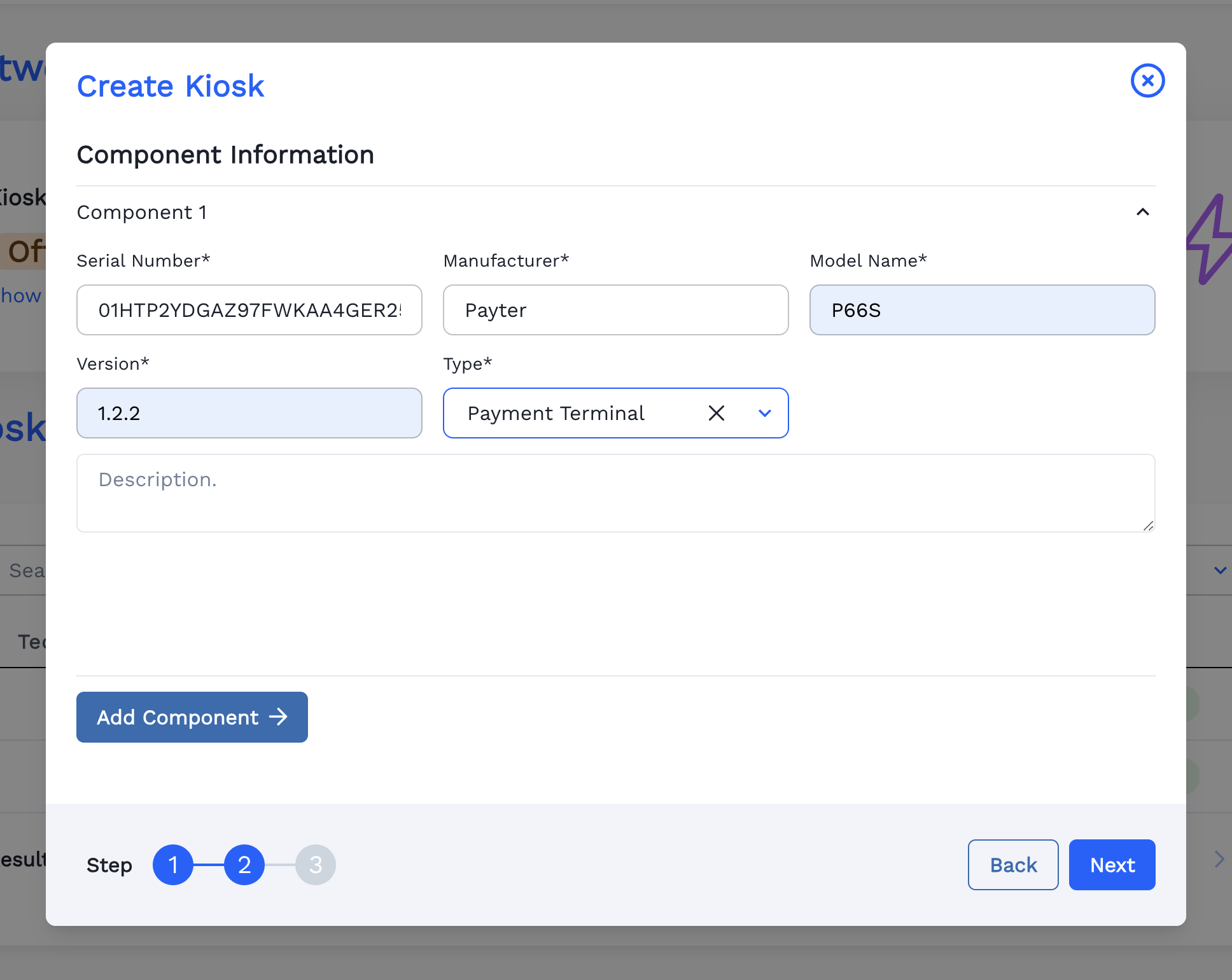
Fill the Component Information.
-
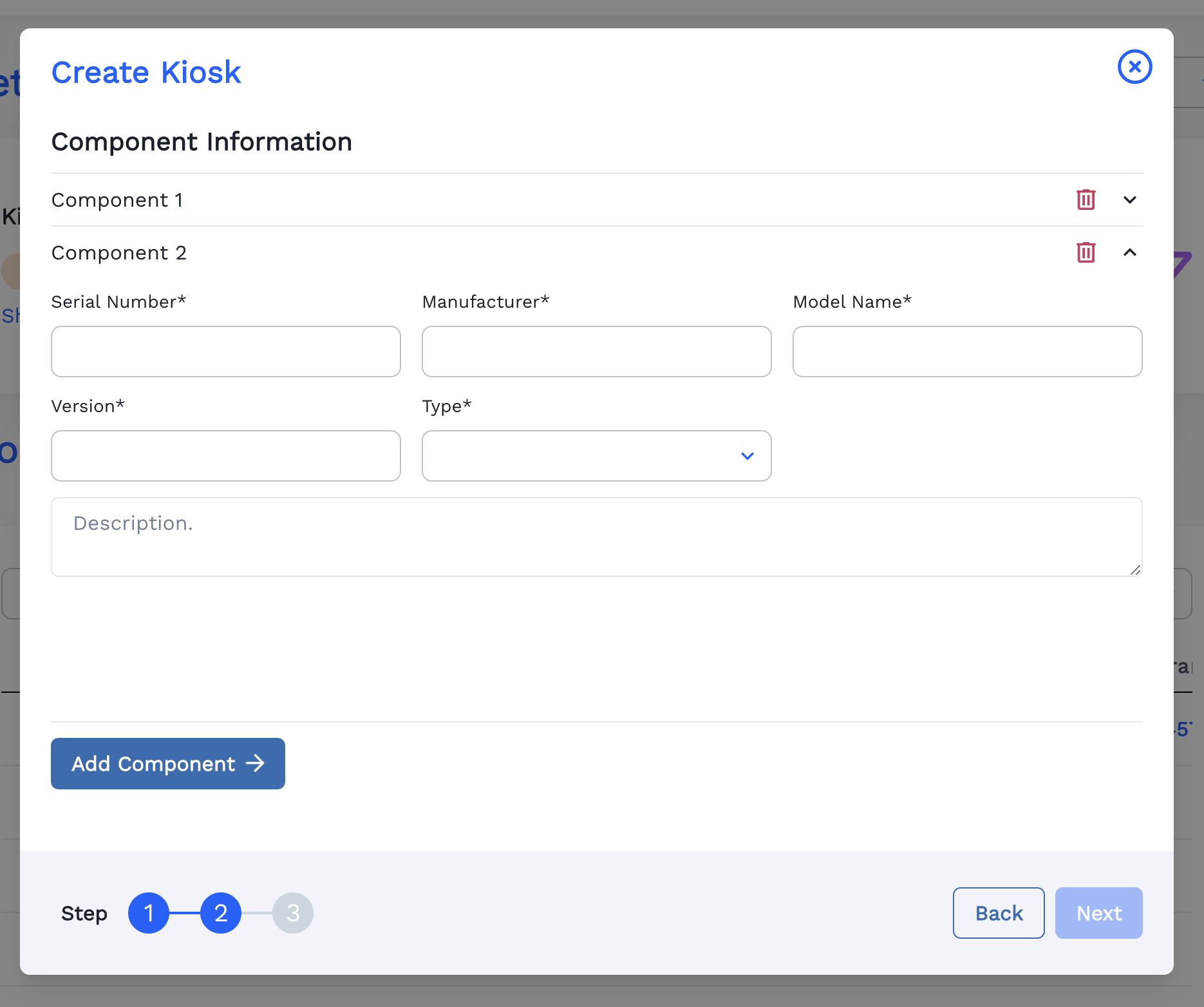
To Add new Component, Click
Add Componentbutton (optional).
-
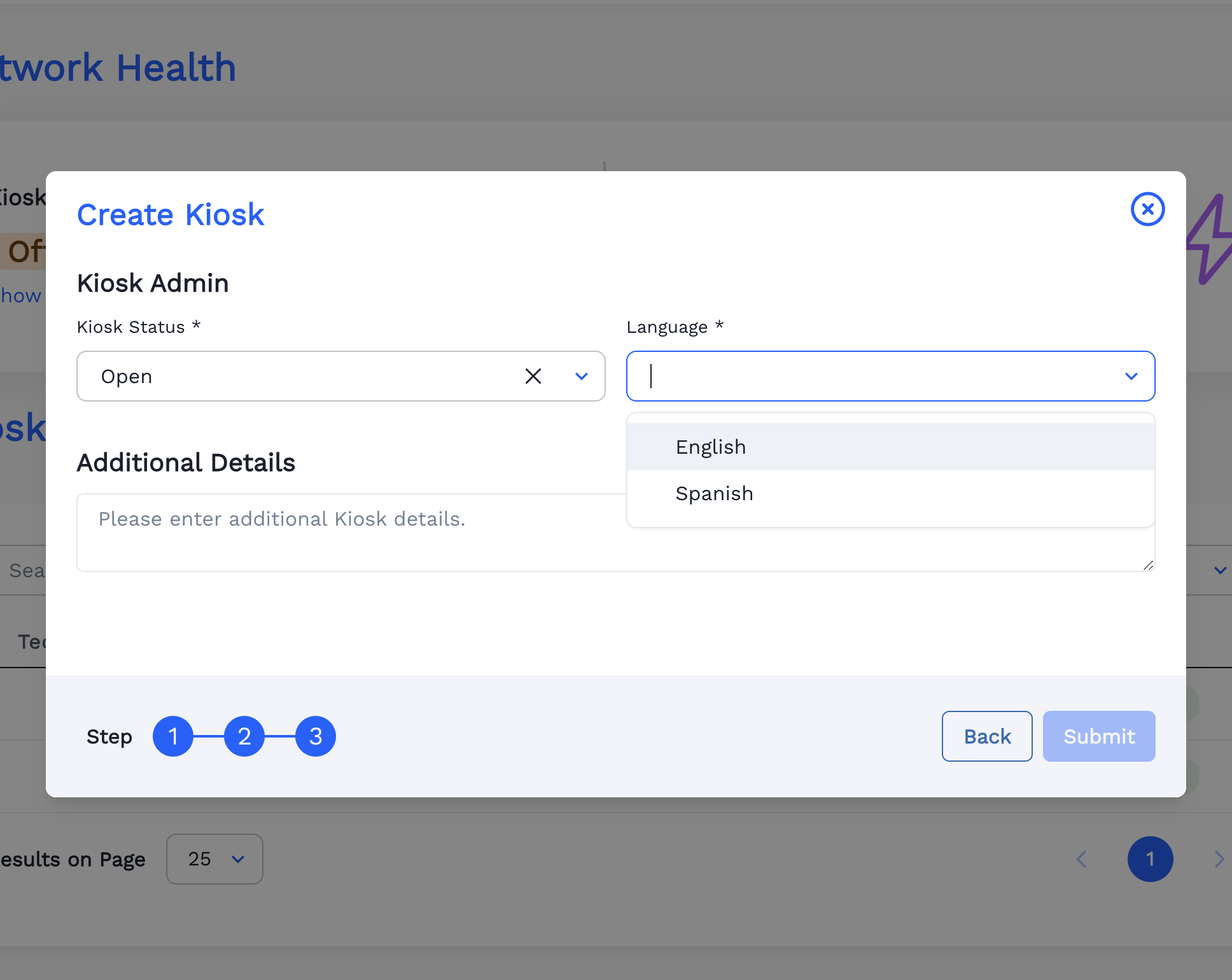
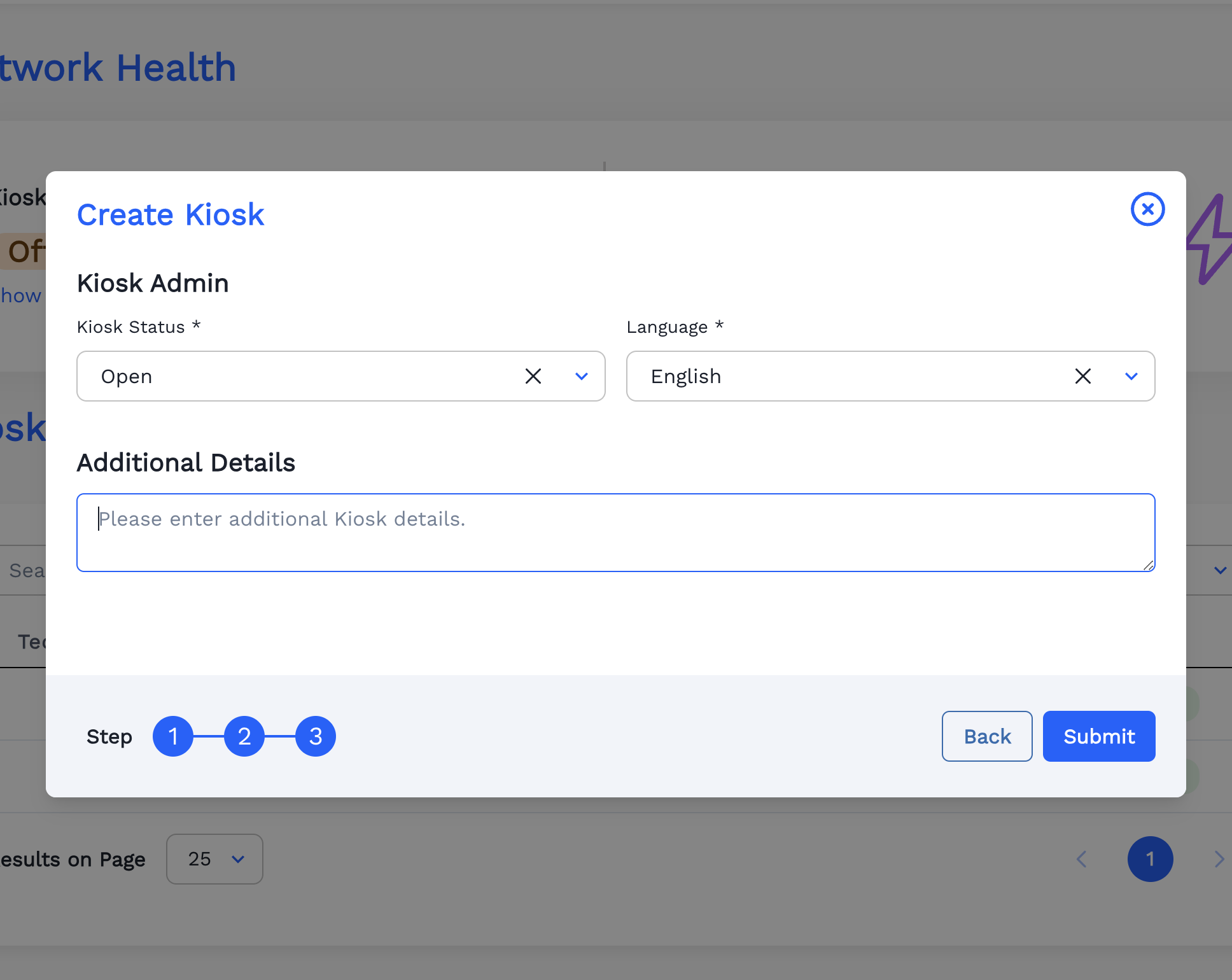
Fill the Kiosk Admin Information.
-
Fill the Additional Details (optional).
-
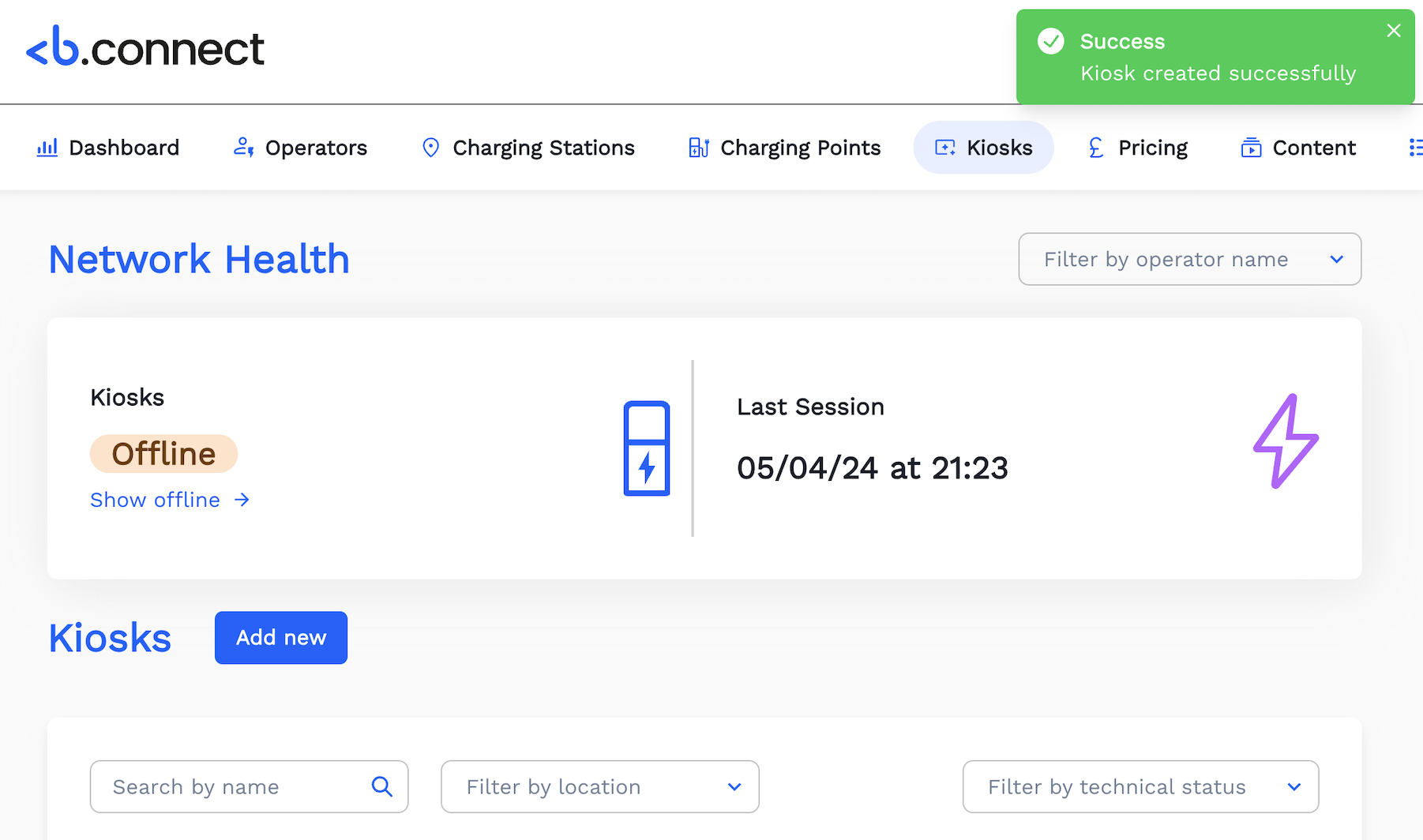
Now Kiosk is Created Successfully.
-
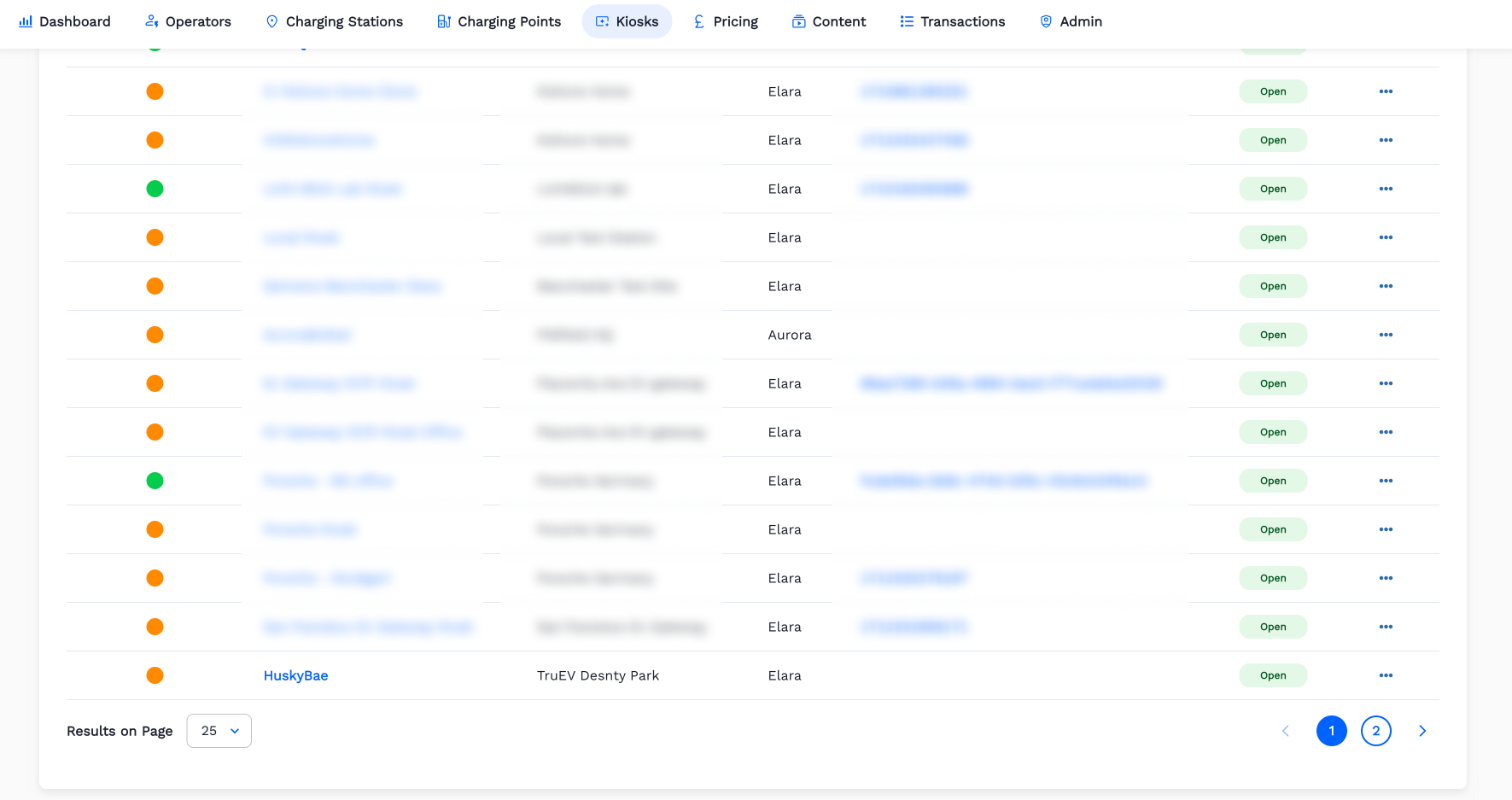
Kiosk Created in the List.